Yoga Go App Review 2026: Is This Home Yoga App Worth It?
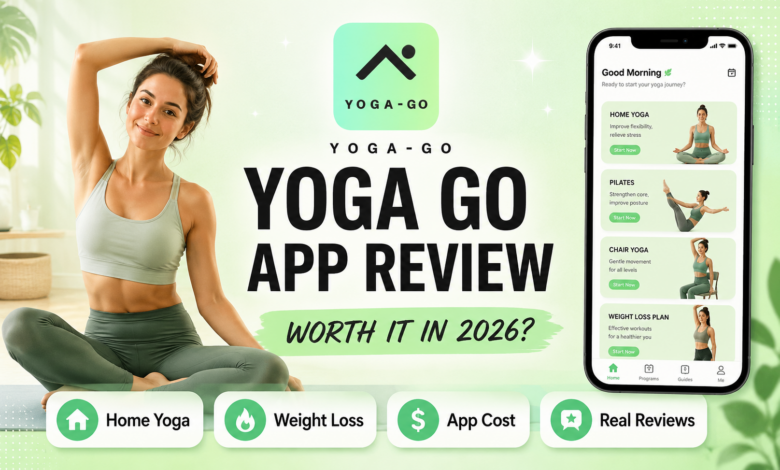
If you have been searching for a convenient way to practice yoga at home, lose weight, improve flexibility, or build a more consistent workout habit, you may have come across the Yoga Go app.
Yoga-Go combines yoga, Pilates, Tai Chi, stretching, meditation, breathing exercises, and low-impact workouts inside one guided fitness platform. It is designed for people who want short, beginner-friendly routines they can complete without visiting a gym or studio.
But does Yoga Go actually work? Is Yoga Go for weight loss realistic? And how much does a Yoga Go subscription cost?
In this detailed Yoga Go app review, we examine its features, workout styles, user feedback, pricing, subscription model, strengths, complaints, and whether the app is worth downloading in 2026.
📱 What Is the Yoga Go App?
Yoga-Go is a home fitness and wellness app developed by Welltech Apps Limited.
Despite its name, the platform offers much more than traditional yoga. Its workout library includes yoga, Pilates, Chair Yoga, Wall Pilates, Somatic Yoga, Sofa Yoga, Tai Chi, stretching, meditation, mindfulness, and breathing practices.
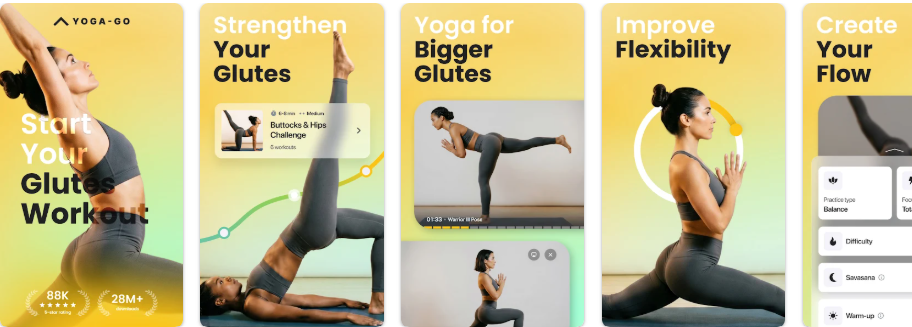
The app is available on Android and Apple devices. At the time of writing, Google Play shows more than 10 million downloads, a rating of approximately 4.6 stars, and over 140,000 reviews. The US App Store also shows a 4.6-star rating from approximately 89,000 ratings.
Yoga-Go is free to download, but continued access to most of its content requires a paid subscription.
Yoga Go at a Glance
| Category | Details |
|---|---|
| App type | Home yoga and low-impact fitness |
| Developer | Welltech Apps Limited |
| Platforms | Android, iPhone and iPad |
| Free download | Yes |
| Subscription required | Yes, for continued use |
| Workout duration | Approximately 7–30 minutes |
| Workout library | Yoga, Pilates, Tai Chi, stretching and more |
| Personalized plans | Available |
| Beginner-friendly | Yes |
| Equipment required | Usually no |
| Weight-loss programs | Available |
🧘 How Does Yoga Go Work?
After opening the Yoga Go app, users are typically asked questions about their:
- Age
- Fitness level
- Body goals
- Problem areas
- Preferred workout style
- Available time
- Mobility
- Experience with yoga or Pilates
The app then recommends a personalized workout plan.
Programs may last between 14 and 30 days and can be built around goals such as flexibility, mindfulness, strength, body sculpting, mobility, or weight loss. The Google Play listing also mentions a workout-builder tool that allows users to create custom flows based on difficulty, practice type, and target areas.
A typical Yoga-Go session may combine:
- Guided yoga poses
- Gentle stretching
- Pilates movements
- Balance exercises
- Breathwork
- Meditation
- Mobility drills
- Low-impact strength exercises
Most sessions are designed to last between 10 and 30 minutes, while the App Store promotes routines as short as seven minutes.
This makes the app suitable for people who want to exercise:
- Before work
- During a lunch break
- In the evening
- While travelling
- Without gym equipment
- In a small space at home
✨ Main Features of the Yoga Go App
🎯 Personalized Workout Plans
Yoga-Go recommends workouts based on the user’s goals, fitness level, and preferred style.
Personalized plans may focus on:
- Weight loss
- Flexibility
- Strength
- Relaxation
- Mobility
- Posture
- Body sculpting
- Mindfulness
- Balance
The app promotes plan lengths of approximately 14 to 30 days.
🏠 Home Yoga Workouts
One of the app’s main benefits is that most routines can be completed at home.
Users generally do not need:
- A gym membership
- Expensive equipment
- A large workout space
- Previous yoga experience
- In-person instruction
Many workouts can be completed with a mat, chair, wall, sofa, or no equipment at all.
🪑 Chair Yoga
Yoga-Go includes Chair Yoga routines designed for beginners, older adults, people with limited mobility, and anyone who prefers supported movement.
Chair Yoga may help users work on:
- Flexibility
- Balance
- Gentle strength
- Posture
- Mobility
- Confidence with movement
The official app description presents Chair Yoga as a guided and accessible option for people seeking lower-impact workouts.
🧱 Wall Pilates
Wall Pilates uses a wall for support, balance, and resistance.
These routines may appeal to users who want to:
- Strengthen the core
- Improve posture
- Tone muscles
- Support balance
- Try Pilates with additional stability
Yoga-Go specifically promotes Wall Pilates as one of its major workout categories.
🌿 Somatic Yoga
Somatic Yoga focuses on slow, mindful movement and body awareness.
Rather than pushing toward a performance goal, somatic routines encourage users to notice:
- Tension
- Breathing
- Comfort
- Range of motion
- Physical sensations
- Emotional state
Yoga-Go describes its somatic content as gentle movement designed to support physical and emotional well-being.
☯️ Tai Chi
The app also includes guided Tai Chi programs.
Tai Chi may be attractive to users who want to work on:
- Balance
- Coordination
- Mobility
- Mind-body awareness
- Gentle strength
- Relaxation
A recent App Store reviewer reported improved balance, strength, and flexibility after completing a 28-day Tai Chi plan, while also noting that the instructional videos could show some movements from more angles.
🤸 Pilates
Yoga-Go includes beginner-friendly Pilates routines in addition to yoga.
These workouts may focus on:
- Core strength
- Posture
- Mobility
- Muscle endurance
- Body awareness
- Low-impact toning
The App Store description states that the Pilates content is designed with clear instructions and supportive coaching for beginners.
🧘 Meditation and Breathwork
The app offers breathing exercises, mindfulness practices, and meditation content.
These features may help users:
- Relax after exercise
- Create a calming evening routine
- Become more aware of their breathing
- Manage everyday stress
- Add a mental wellness component to fitness
🛠 Workout Builder
Yoga-Go’s workout-builder tool allows users to create custom workout flows based on:
- Difficulty
- Workout type
- Duration
- Target areas
- Personal preferences
This may be useful for users who want more control than a fixed daily plan provides.
📚 Large Exercise Library
The app-store descriptions differ slightly in how the content library is presented.
Google Play advertises more than 300 workouts and over 500 yoga poses, while the App Store promotes access to more than 2,000 low-intensity exercises. This difference may reflect how the company categorizes individual exercises, poses, and complete workout sessions.
💬 Yoga Go App Reviews: What Are Users Saying?
Yoga-Go has strong overall ratings on both major app stores, but written reviews reveal a more mixed picture.
Many users enjoy the workout variety and beginner-friendly approach. Others raise concerns about subscription terms, refund experiences, app navigation, technical issues, and upselling.
⭐ Positive Yoga Go App Reviews
Positive reviews commonly mention:
- Gentle workouts
- Beginner-friendly pacing
- Short daily sessions
- Variety of workout styles
- Improved balance
- Better flexibility
- Convenient home routines
- Gradual progression
- Helpful customer support
- Programs suitable for older adults
One Google Play reviewer said they appreciated the gradual progression of the Wall Pilates program and found it helpful for staying active while managing an injury. The reviewer also reported that support helped resolve an earlier technical problem.
An App Store reviewer praised the variety of programs and described a positive customer-support experience after initially being unable to access a paid account because of an incorrect email address.
⚖️ Mixed Yoga Go Reviews
Some users like the workouts but identify limitations.
Common mixed feedback includes:
- Movements are gentle but may feel too easy for advanced users
- Certain videos need more camera angles
- Some programs end without a clear follow-up plan
- Navigation can feel confusing
- Purchased content may be difficult to locate
- The app promotes additional paid offers
- Results may depend heavily on consistency
- Weight-loss expectations may be too ambitious
For example, an App Store reviewer enjoyed a 28-day Tai Chi plan but wanted clearer demonstrations and a stronger continuation path after finishing the program.
❌ Negative Yoga Go App Reviews and Complaints
The most serious complaints tend to involve:
- Subscription renewals
- Refund requests
- Additional paid offers
- Difficulty locating purchased programs
- Confusing purchase flows
- Workout-loading problems
- Progress not being recorded correctly
- Technical interruptions during sessions
One older App Store reviewer praised the workouts themselves but complained that certain sessions failed to load properly and that restarting a workout affected completion tracking.
Another reviewer reported difficulty finding purchased content and dissatisfaction with the number of additional offers shown during the purchase process. The developer responded by inviting the user to contact support.
These are individual reports rather than proof that every customer will experience the same issues. However, they suggest that users should carefully review payment terms and confirm where purchased content appears inside the app.
⚖️ Yoga Go Review Summary
| Area | General Feedback |
|---|---|
| Workout quality | Mostly positive |
| Beginner accessibility | Strong |
| Workout variety | Strong |
| Program structure | Generally useful |
| Advanced intensity | May be limited |
| App navigation | Mixed |
| Subscription clarity | Common concern |
| Customer support | Mixed but sometimes praised |
| Technical reliability | Some complaints |
| Weight-loss results | Depend on diet and consistency |
🔥 Is Yoga Go Good for Weight Loss?
Yoga Go for weight loss may help, but the app should not be viewed as a guaranteed or rapid weight-loss solution.
Weight loss generally requires a sustained calorie deficit, which means using more energy than you consume over time.
Yoga-Go may support weight-management goals by helping users:
- Move more consistently
- Build a daily workout habit
- Improve strength
- Increase flexibility
- Reduce sedentary time
- Complete low-impact cardio or Pilates sessions
- Manage stress
- Become more mindful of health habits
The app includes programs specifically promoted for weight loss and body sculpting.
However, results will depend on:
- Workout intensity
- Workout frequency
- Nutrition
- Sleep
- Age
- Metabolism
- Starting weight
- Daily activity
- Medical conditions
- Long-term consistency
What Yoga Go Can Realistically Do
Yoga-Go may support:
- Gradual calorie expenditure
- Better workout consistency
- Improved mobility
- Greater confidence with exercise
- Muscle endurance
- Stress reduction
- Sustainable habit formation
What Yoga Go Cannot Guarantee
The app cannot guarantee:
- Rapid weight loss
- Targeted belly-fat reduction
- A specific number of pounds lost
- Results without dietary changes
- Identical results for every user
- A complete body transformation in a few weeks
Users looking primarily for weight loss may achieve better results by combining Yoga-Go with:
- A balanced diet
- Regular walking
- Adequate sleep
- Resistance training
- Consistent weekly activity
🔬 Does the Yoga Go App Actually Work?
The answer depends on what “work” means.
Yoga-Go can work well as a tool for:
- Building a home-workout habit
- Learning basic yoga and Pilates
- Improving flexibility
- Supporting mobility
- Practicing balance
- Adding gentle movement to the day
- Reducing stress
- Staying active with short sessions
It may be especially useful for:
- Beginners
- Older adults
- People returning to exercise
- Users who prefer low-impact routines
- People with limited time
- Anyone uncomfortable in a gym environment
However, Yoga-Go may be less suitable for users seeking:
- Heavy strength training
- High-intensity cardio
- Advanced yoga instruction
- Live teacher feedback
- Athletic performance coaching
- Rapid body transformation
The app is best understood as a guided low-impact fitness platform rather than a substitute for a personal trainer, physiotherapist, or medical professional.
💰 Yoga Go App Cost: How Much Does It Cost?
The Yoga Go app cost can vary significantly depending on:
- Country
- Platform
- Promotion
- Subscription length
- Trial offer
- Web or app-store purchase
- Optional add-ons
The US App Store currently lists example in-app purchase options including:
- One-month subscriptions from approximately $14.99 to $24.99
- Three-month subscriptions around $44.99
- Annual subscriptions ranging from approximately $52.99 to $69.99
- Premium subscription options around $19.99 to $34.99
- A “forever” option listed at approximately $149.99
These prices may not all be shown to every user and can change based on the current offer.
The actual checkout screen should always be treated as the most accurate source.
Before Paying, Check:
- How much you are charged today
- Whether a trial is included
- The length of the trial
- The renewal date
- The renewal amount
- Whether add-ons are included
- Whether add-ons cost extra
- Which platform manages the subscription
- The cancellation deadline
- The refund policy
🔁 How Does the Yoga Go Subscription Work?
The Yoga Go subscription renews automatically unless the user cancels it before the renewal deadline.
The App Store listing says that subscriptions renew automatically unless auto-renewal is turned off at least 24 hours before the end of the current billing period. It also states that optional add-ons, such as health guides, may be offered for an additional one-time or recurring fee.
Google Play also confirms that the app includes in-app purchases, and a developer response states that access becomes restricted after a subscription expires.
Subscription Safety Checklist
- Read the checkout page carefully.
- Take a screenshot of the price.
- Note the renewal date.
- Confirm whether the payment is monthly, quarterly, or annual.
- Check for optional add-ons.
- Cancel through the same platform used to subscribe.
- Save the cancellation confirmation.
- Review your bank statement after cancellation.
🆓 Yoga Go Free vs Paid Version
| Feature | Free Download | Paid Subscription |
|---|---|---|
| Download the app | Yes | Yes |
| Complete workout access | No | Yes |
| Personalized plans | Preview or limited | Full access |
| Yoga programs | Limited | Expanded |
| Pilates and Tai Chi | Limited | Expanded |
| Workout builder | Limited or unavailable | Available |
| Long-term program access | No | Yes |
| Meditation and breathwork | Limited | Expanded |
| Optional add-ons | Not included | May cost extra |
The app can be downloaded without an initial charge, but the App Store listing states that further use requires a subscription.
This means the free download should not be confused with unlimited free access.
🔥 Top 5 Yoga Apps Right Now 🔥
We’ve ranked the top 5 apps of 2026.